 BTA F&B
Set up how customers sign up for membership (Email, Phone number)
For: Owner
Go to Settings › Member signup to choose how customers create a member account on your restaurant's website and customer app. Available from the Business plan.
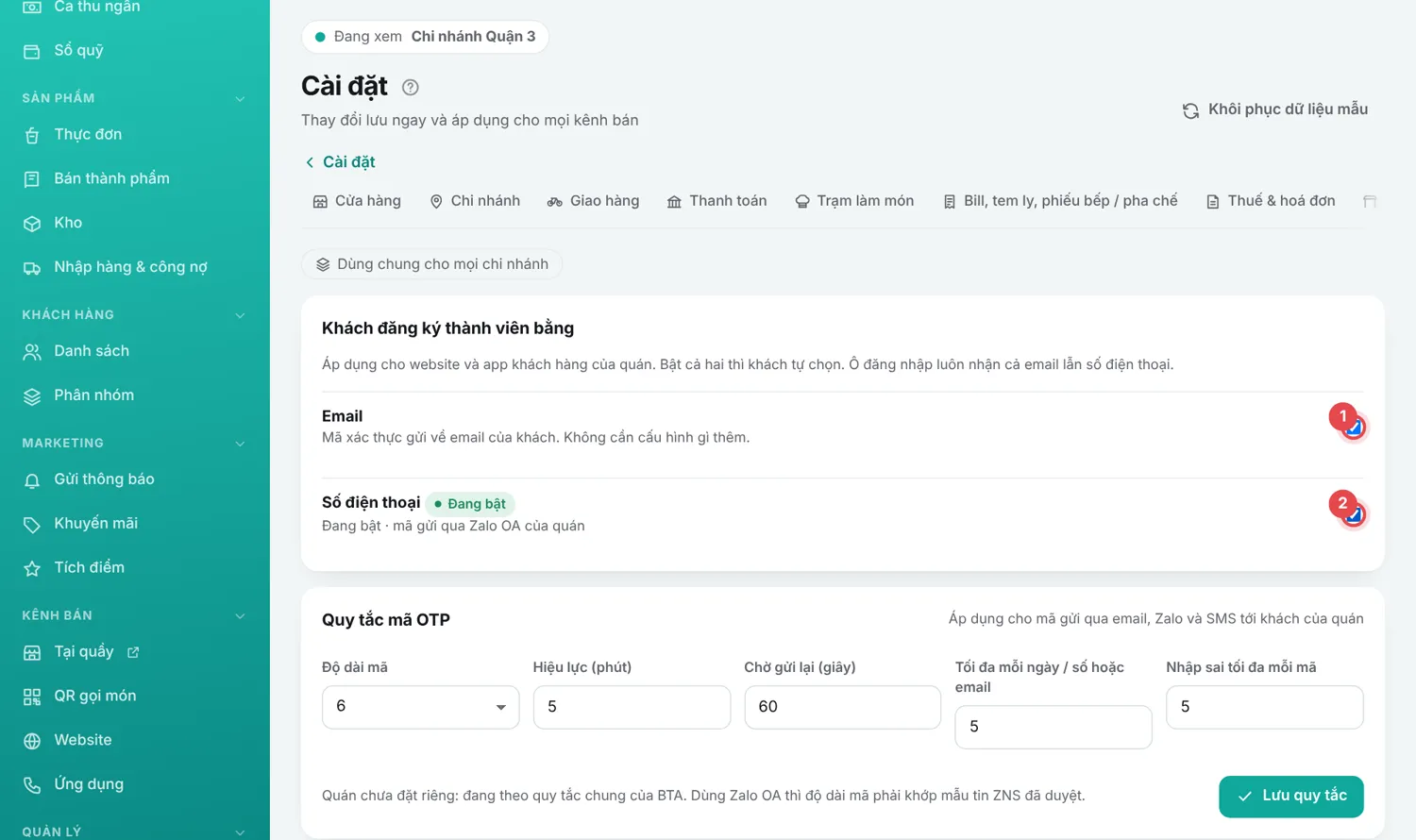
| Signup method | Customer receives the verification code via | What you need to do |
|---|---|---|
| Email (on by default) | The customer's email | No setup needed |
| Phone number | WhatsApp Business, your own SMS sender ID, or both | Connect at least one channel and send a successful test |
- At least one method must be on. If both are on, customers choose when they sign up.
- The login field always accepts email or phone number.
- WhatsApp / SMS messages are sent from your own account, and message fees are paid by you to WhatsApp or Twilio.
Turn on signup by phone number
- Tick Phone number. It shows Not enabled until a code channel has sent a test message successfully.
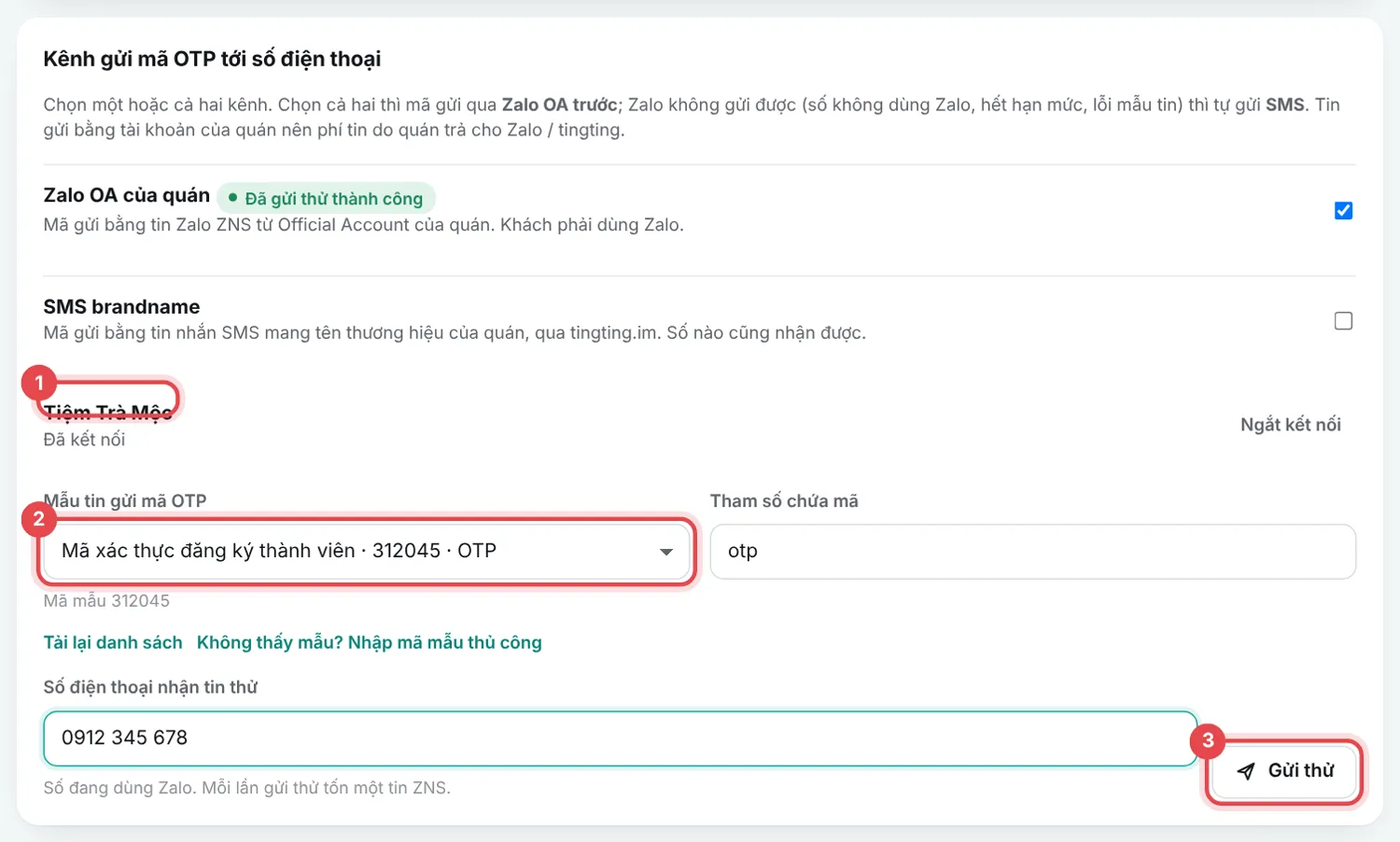
- Tick a channel: Your WhatsApp Business account, SMS sender ID, or both. If both are ticked, the code is sent via WhatsApp first; if WhatsApp can't deliver it (number not on WhatsApp, quota reached, template error), the system automatically sends an SMS. A channel that hasn't passed a test yet can't be used.
- Configure each ticked channel as described below.
- Enter a phone number to receive the test message and click Send test. When the phone receives the code, the channel is marked Test sent successfully and signup by phone number turns on automatically.
Your WhatsApp Business channel
Requirements: your WhatsApp Business account is verified and has an OTP-type message template approved by WhatsApp.
- Click Connect WhatsApp Business. Your browser opens the WhatsApp page: sign in with the account that administers your business account and click Allow.
- Return to the settings page. Your account name appears along with the list of approved templates. Choose a template in OTP message template (OTP-type templates are listed first).
- The Code parameter is filled in automatically from the template. If the template has several parameters, choose the one that holds the OTP code.
Can't find the template in the list? Click Reload list, or Enter template ID manually (find the ID in your WhatsApp Business Manager › Message templates).
- Send a test.
SMS sender ID channel
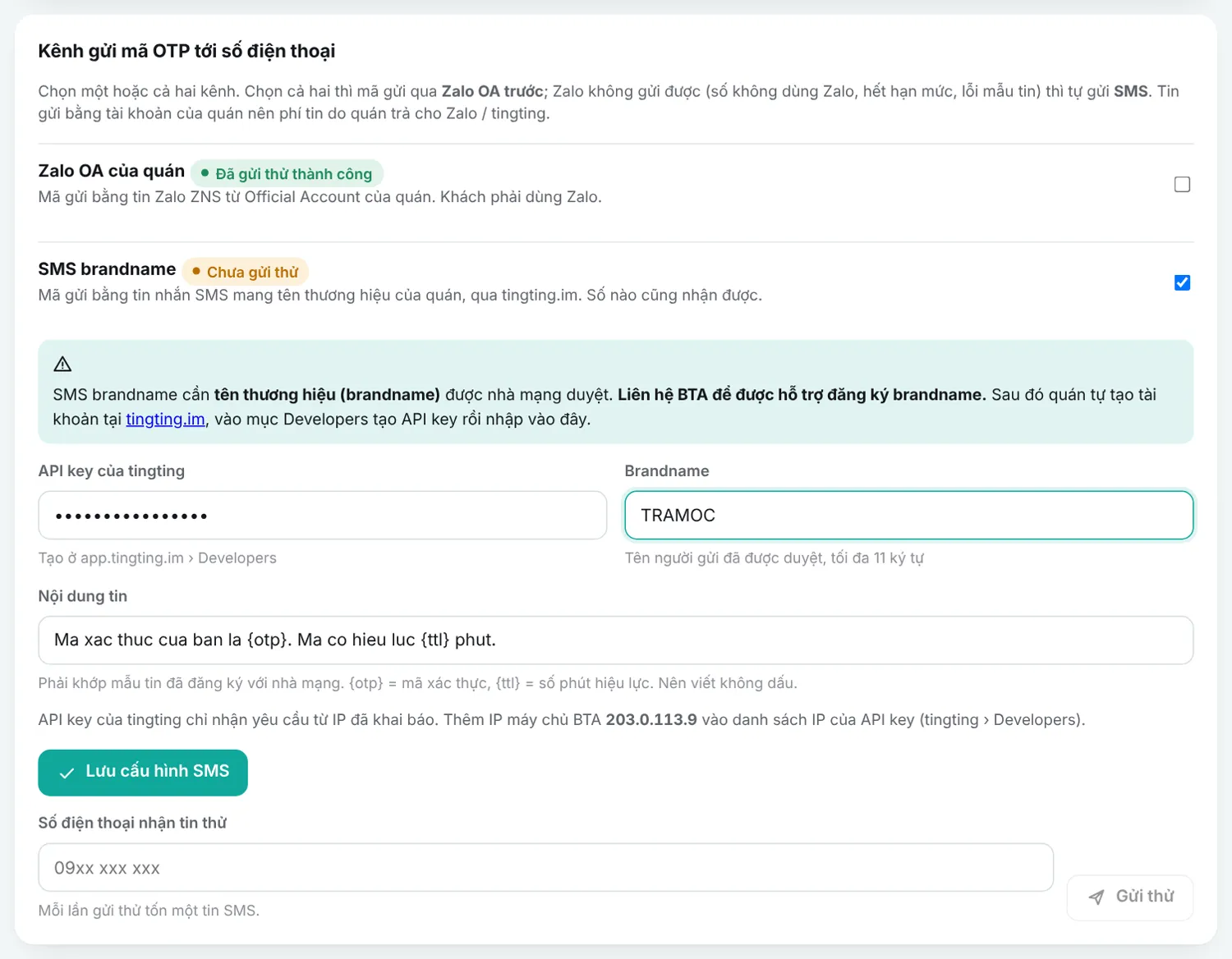
Requirements: a sender ID (brand name) approved by the carrier. Contact BTA for help registering a sender ID.
- Create an account at Twilio and add credit.
- In your Twilio console, create an API key. Add the BTA server IP (shown on the settings page) to the API key's IP allowlist.
- On the settings page, enter the API key, Sender ID, and Message text. The text must contain
{otp}(the verification code), may include{ttl}(validity in minutes), and must match the message template registered with the carrier. - Click Save SMS settings, then send a test.
OTP code rules
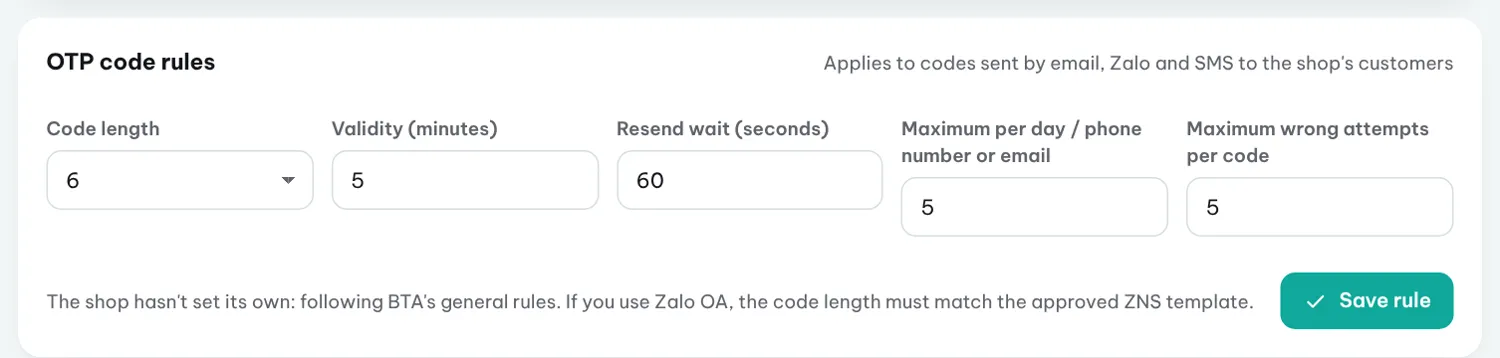
The OTP code rules card applies to every code sent to your customers (by email, WhatsApp, SMS):
| Field | Meaning | Limit |
|---|---|---|
| Code length | 6-digit or 4-digit code | With WhatsApp, it must match the approved message template |
| Validity (minutes) | The code expires after this time | 1 to 30 |
| Resend wait (seconds) | How long a customer must wait before requesting a new code | 30 to 600 |
| Max per day / number or email | Maximum codes a phone number or email can receive in 24 hours | 1 to 50 |
| Max wrong attempts per code | After this many wrong entries, a new code must be sent | 1 to 10 |
Click Save rules. If you haven't set your own, BTA's default rules apply.
What customers see
- Signing up by email: enter full name, email, and password, then enter the code sent to the email.
- Signing up by phone number: enter full name, phone number, and password, then enter the code sent via your WhatsApp / SMS.
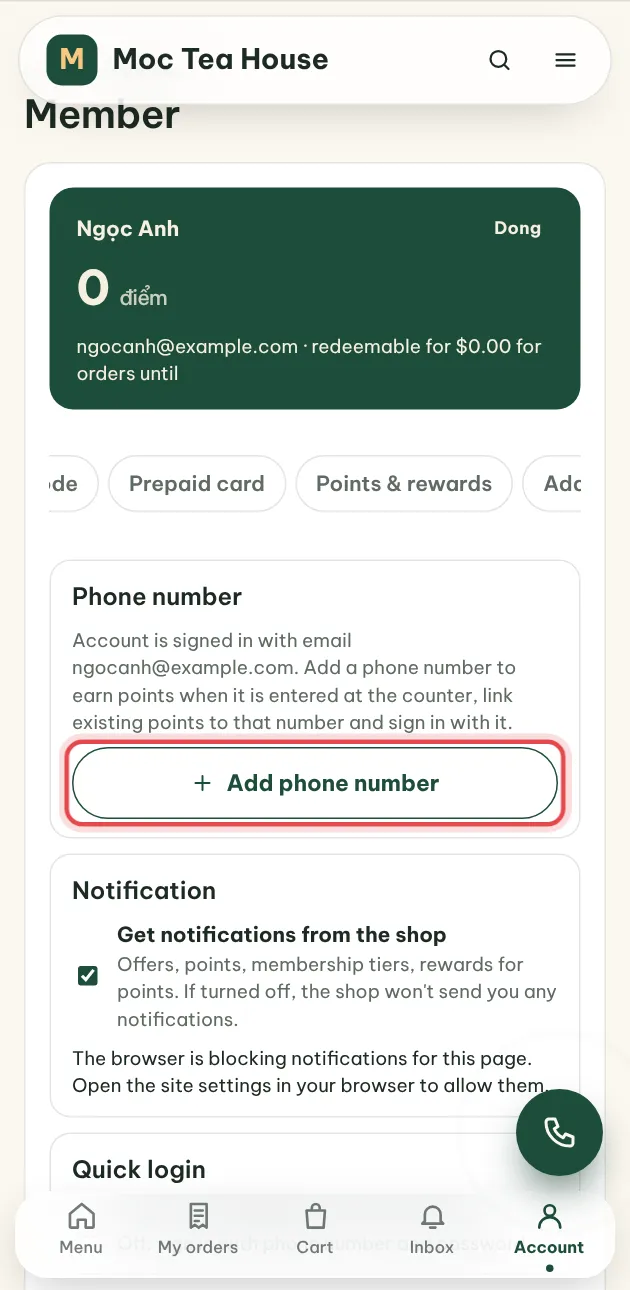
- Adding a phone number later: a member who signed up by email goes to Member › Account › Add phone number and verifies the code. If that number already has points at your restaurant, the points and purchase history are linked to the account. From then on they can sign in with email or phone number.
Changing settings later
- Turn off Phone number: new customers can only sign up by email. Members who already signed up with a phone number can still sign in and still receive codes (forgot password, card) via your WhatsApp / SMS, as long as the channel stays connected.
- Disconnecting a code channel (disconnecting WhatsApp, deleting the settings): customers no longer receive codes by phone number. BTA does not send on your behalf through BTA's own WhatsApp account. Members with an email can reset their password by email; others need to contact your restaurant.
- Changing the API key, sender ID, message text, or connecting a different WhatsApp account: you must send a test again before the channel can be used.
- OTP codes for opening the restaurant and signing in to the management page are still sent by BTA and don't use your channels.
See also: Members on the website, Customer app.
Still stuck? Message us on WhatsApp. WhatsApp