 BTA F&B
Staff and permissions
For: Owner
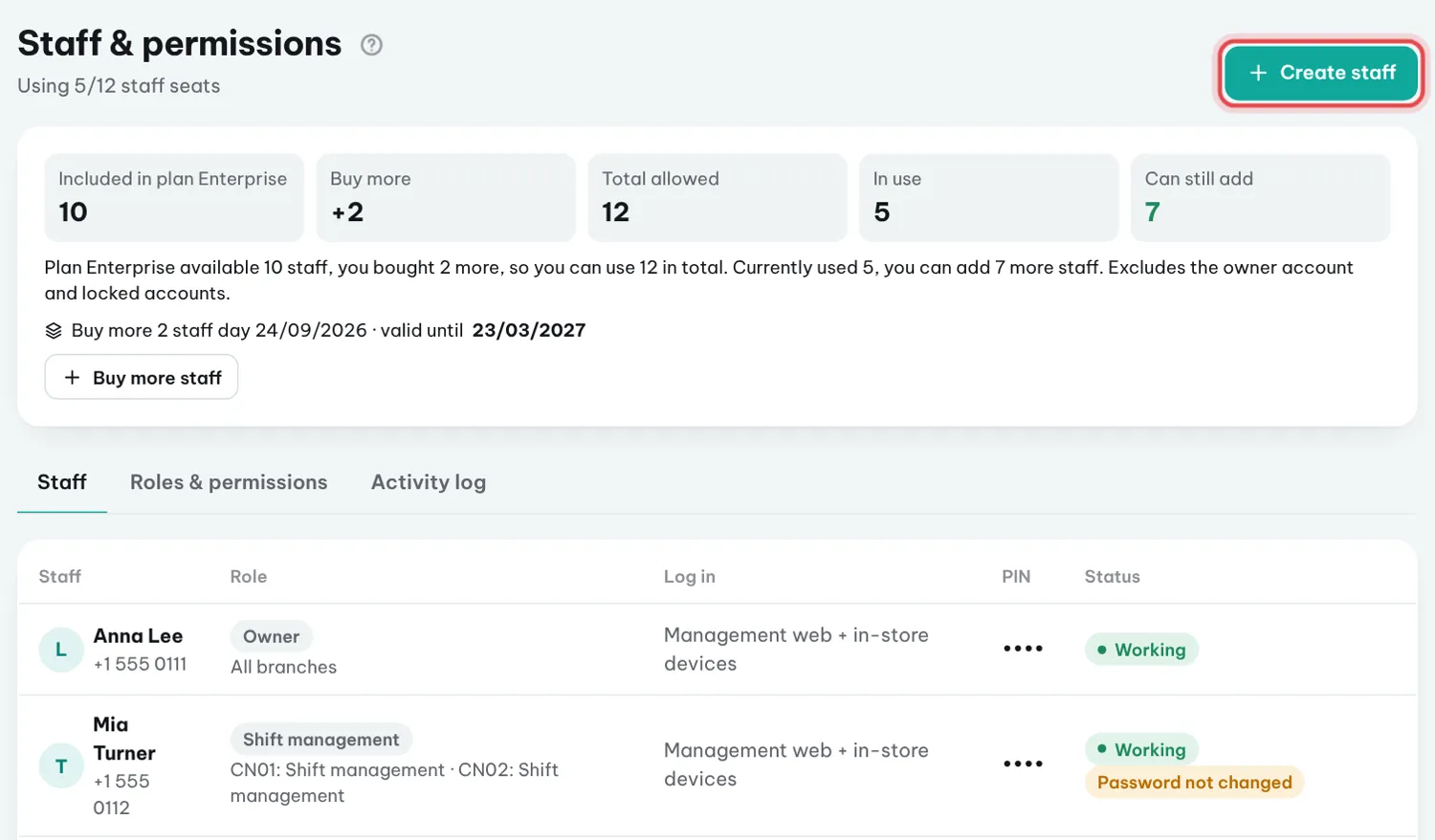
Go to Settings › Staff & permissions. The page has 3 tabs: Staff, Roles & permissions, Activity log.
Create a staff member
- Click Create staff.
- Enter Full name, Phone number (username), and POS PIN (6 digits). The PIN is used to unlock the POS, open a shift, and confirm order cancellations.
- Choose how the person signs in:
- On-site devices only with a PIN: POS terminal, bar/kitchen display, waiter phone. Cannot view data remotely. Suited to cashiers, bartenders and waiters.
- Allow access to the management web app: sign in at manage.btafnb.com with phone number + password. Enter an Initial sign-in password to give to the staff member; the system requires a password change on first sign-in.
- Under Branches & roles, choose a role for each branch the person works at (one person can be a Cashier at one branch and a Shift manager at another). For branches they don't work at, leave Does not work at this branch.
- Add a Profile photo if you like (shown on the lock screen and on the screen for choosing who opens a shift), then click save.
The number of staff depends on your plan and does not include the owner account or locked accounts. When you run out of seats, click Buy more staff seats.
Roles and permissions
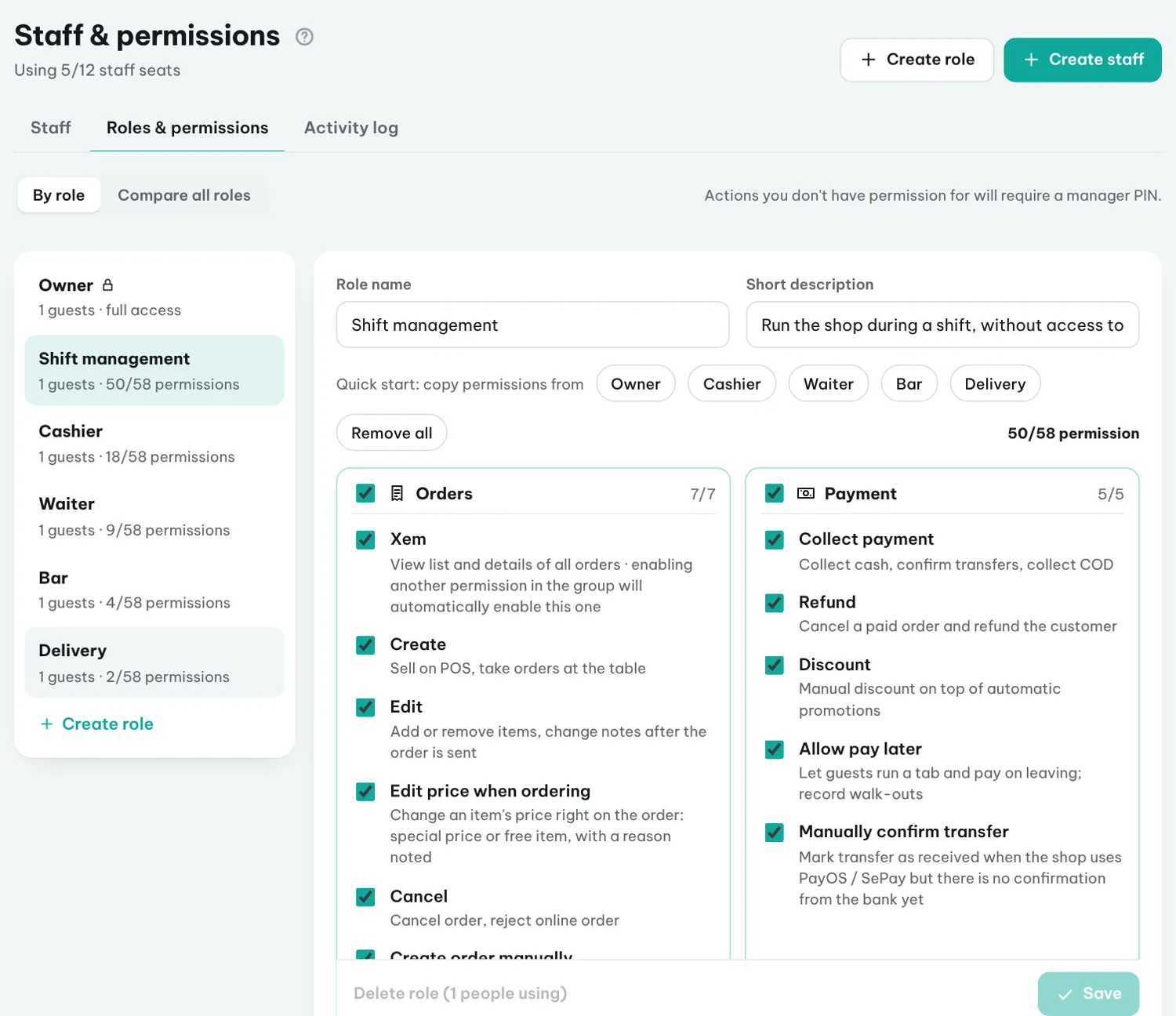
Your venue comes with the built-in roles Owner, Shift manager, Cashier, Bartender, Waiter, Delivery. On the Roles & permissions tab:
- Click a cell to turn each permission on or off; it saves immediately. Changes apply the next time the staff member performs an action.
- Create a new role: set a Role name and Short description, and use Quick start: copy permissions from an existing role, then edit.
Lock, reset password
Open the staff member in the list: change the status to Locked when they leave (locked accounts don't count toward your seats), or choose Reset password when they forget it.
Activity log
The Activity log tab records who did what and when: price edits, order cancellations, setting changes, remote sign-outs…
Still stuck? Message us on WhatsApp. WhatsApp