 BTA F&B
Dashboard
For: Owner
Dashboard is the first page the owner sees after signing in: one glance shows how the business is doing today.
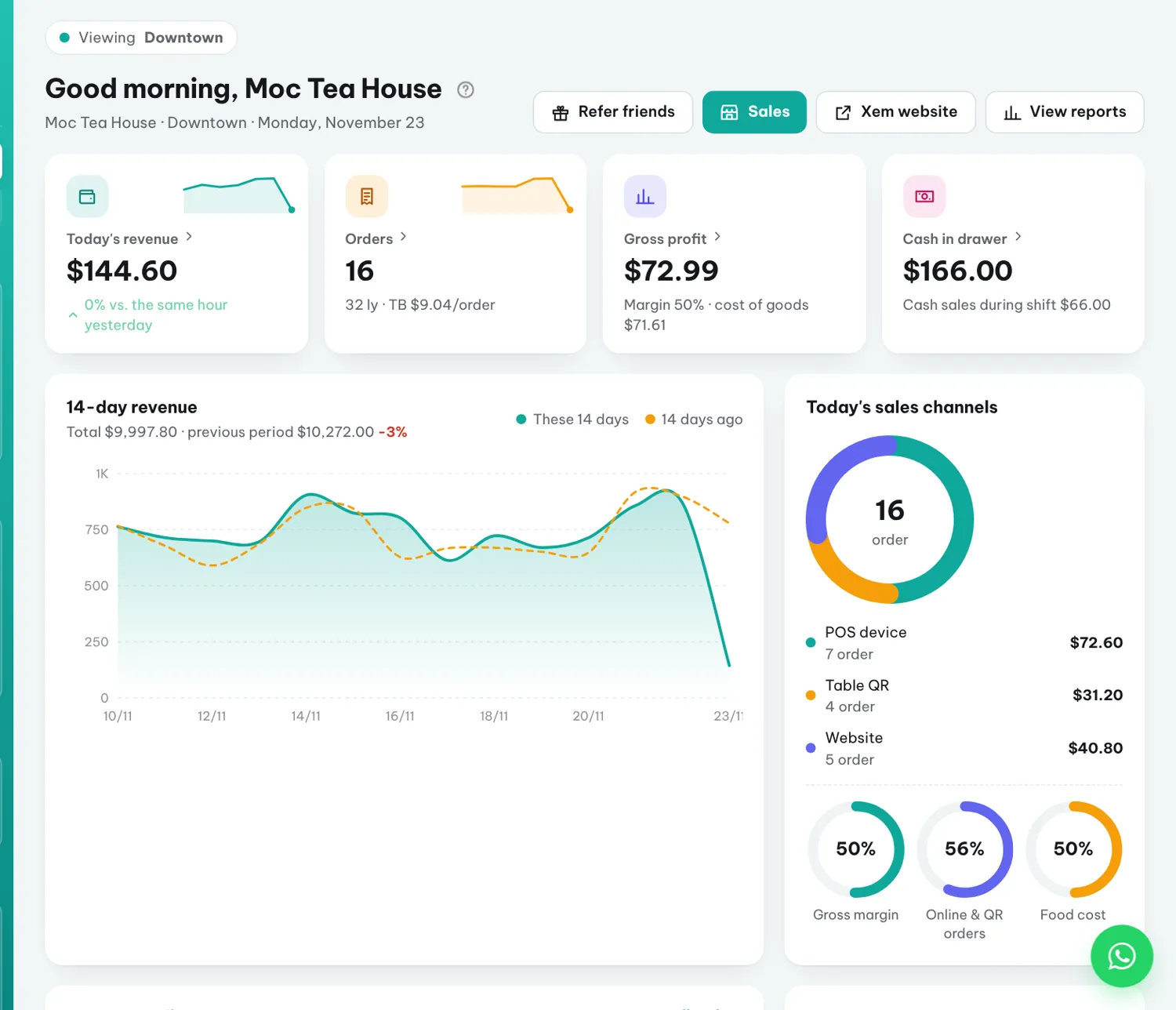
- Today's revenue, compared with the same time yesterday.
- Orders: number of orders, number of drinks, and average value per order.
- Gross profit: revenue minus cost of goods based on the recipe, with the profit margin.
- Cash in drawer: the current drawer balance and the cash sales taken during the shift.
- 14-day revenue compared with the previous 14 days.
- Sales channels today: number of orders and revenue by POS device, table QR and website.
- Needs attention: orders awaiting approval, awaiting payment and in preparation. Click an order to open it.
- Best sellers today and Stock alerts (ingredients below the minimum level, with Restock / Make batch buttons), plus alerts for items with a high cost of goods.
Buttons at the top of the page: Sell (start selling right on this device), View website, View reports.
Management menu
The left menu is divided into groups; click a group name to collapse or expand it. The device remembers your choice.
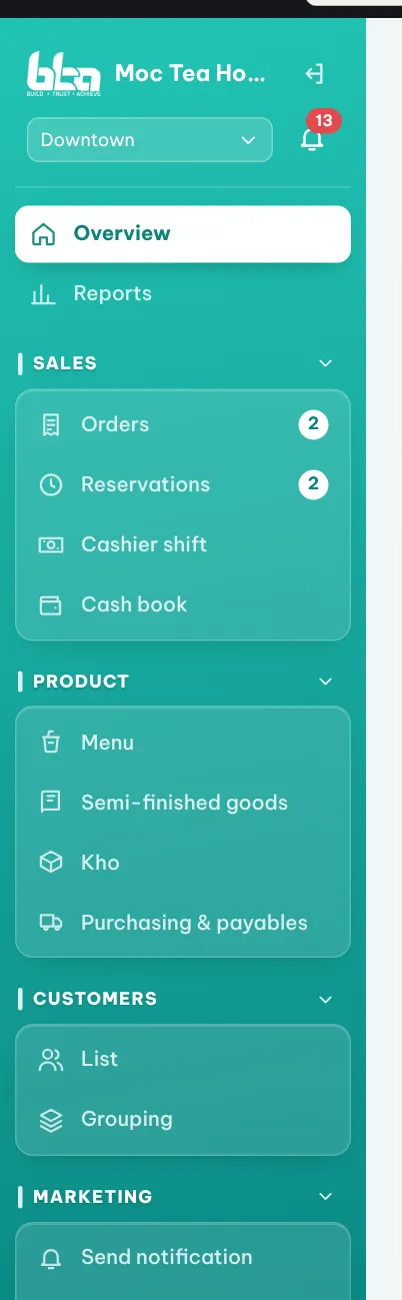
| Group | Items |
|---|---|
| (top of menu) | Dashboard · Reports |
| Sales | Orders · Reservations · Cashier shifts · Cash book |
| Products | Menu · Semi-finished items · Inventory · Purchasing & payables |
| Customers | List · Segments (Membership tiers, Membership cards and Card transactions are tabs on the Customers page) |
| Marketing | Send notifications · Promotions · Loyalty points |
| Sales channels | In store (opens the POS) · Table QR · Website · App |
| Management | Staff & permissions · Tables & areas · Store settings |
- The notification bell sits next to the branch selector at the top of the menu and shows the number of unread notifications.
- Items that your current plan does not include show a lock icon; items your account has no permission for are hidden.
- In other guides, "go to Customers" means the Customers group › List, "go to Marketing" means Marketing › Send notifications, and "go to Settings" means Management › Store settings.
Left menu
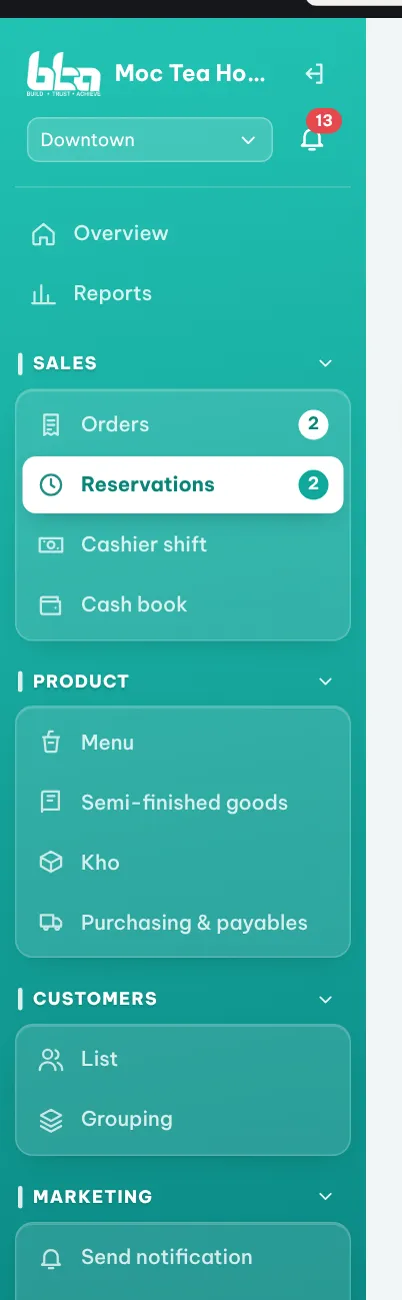
The menu is divided into groups: Sales, Products, Customers, Marketing, Sales channels, Management. Group names are in capitals, in bold white text with a bar on the left; the items of each group sit together in a glass-style panel so they are easy to tell apart. Click a group name to collapse or expand it; a collapsed group shows a white dot if the page you are viewing belongs to that group.
Still stuck? Message us on WhatsApp. WhatsApp