 BTA F&B
Recipes and Cost of Goods
For: Owner
Each prepared item has a Recipe for 1 serving: ingredients (jam, tea, milk…), semi-finished products (tea concentrate, cooked tapioca pearls…) and their quantities.
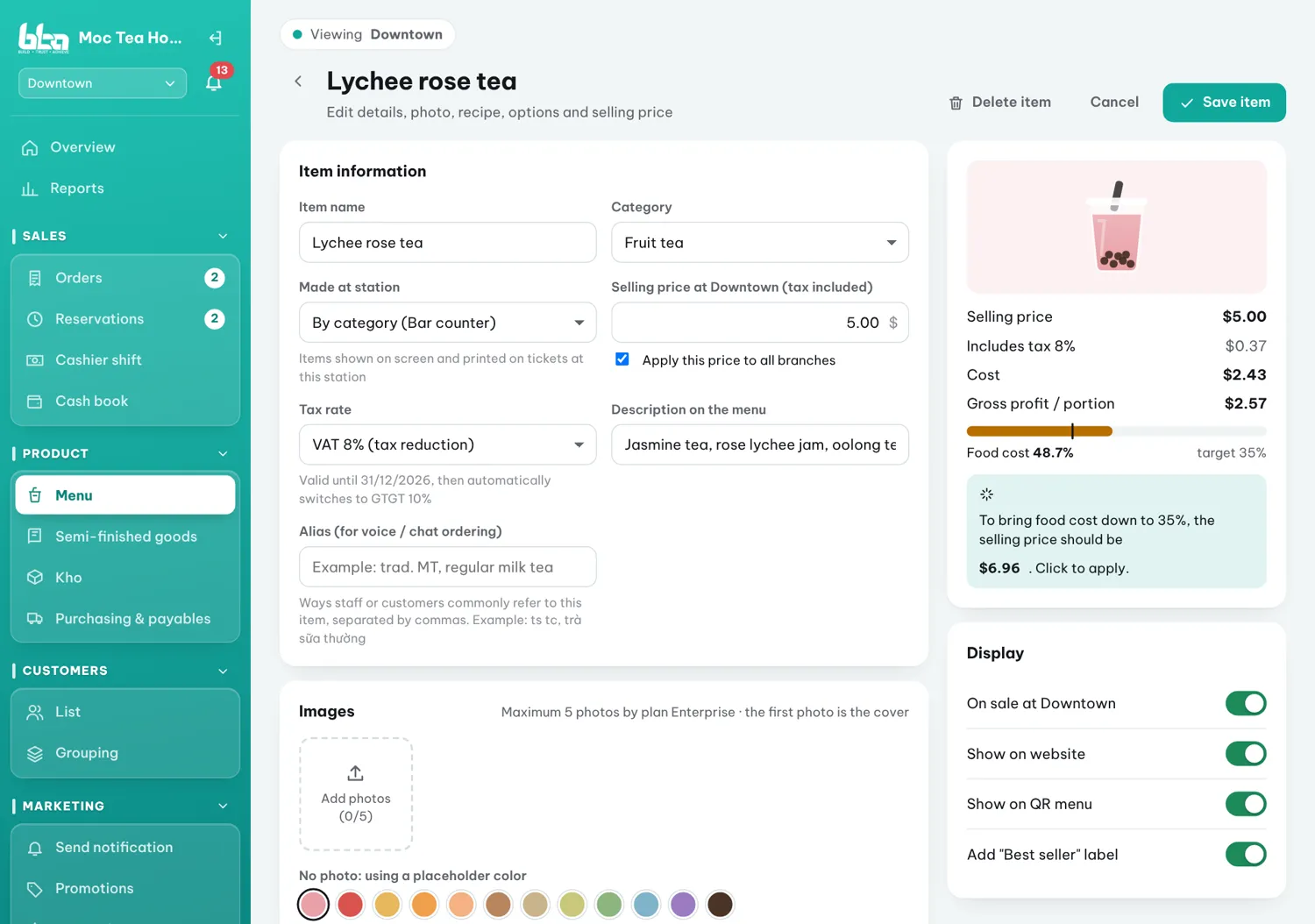
Enter a recipe
- Open the item in Menu, and under How it's sold choose Prepared / made from a recipe.
- Under Recipe for 1 serving, add each component and its quantity in the unit of use (g, ml, pieces…).
- Unit prices come from the average cost in your stock. The system adds them up to give Cost of goods, Gross margin and Food cost.
Food cost and suggested selling price
Food cost = cost of goods / selling price. The default target is 35%. If an item goes over the target, the system suggests "To bring food cost down to 35%, the selling price should be …". Click it to apply.
The Menu table has Cost of goods, Profit / item and Food cost columns for each item. The Dashboard warns you about items whose cost of goods is above 50% of the selling price.
Cost of goods updates automatically
Each time you receive stock at a new price, the average cost of the ingredient changes, and the cost of goods of every item that uses that ingredient updates automatically.
Automatic stock deduction
When you sell an item, stock is deducted for the ingredients in its recipe (including quantities that vary by size and toppings). You can choose whether to deduct when the order is sent to preparation or when payment is made in Store information › Stock operations.
Still stuck? Message us on WhatsApp. WhatsApp