 BTA F&B
Store Information
For: Owner
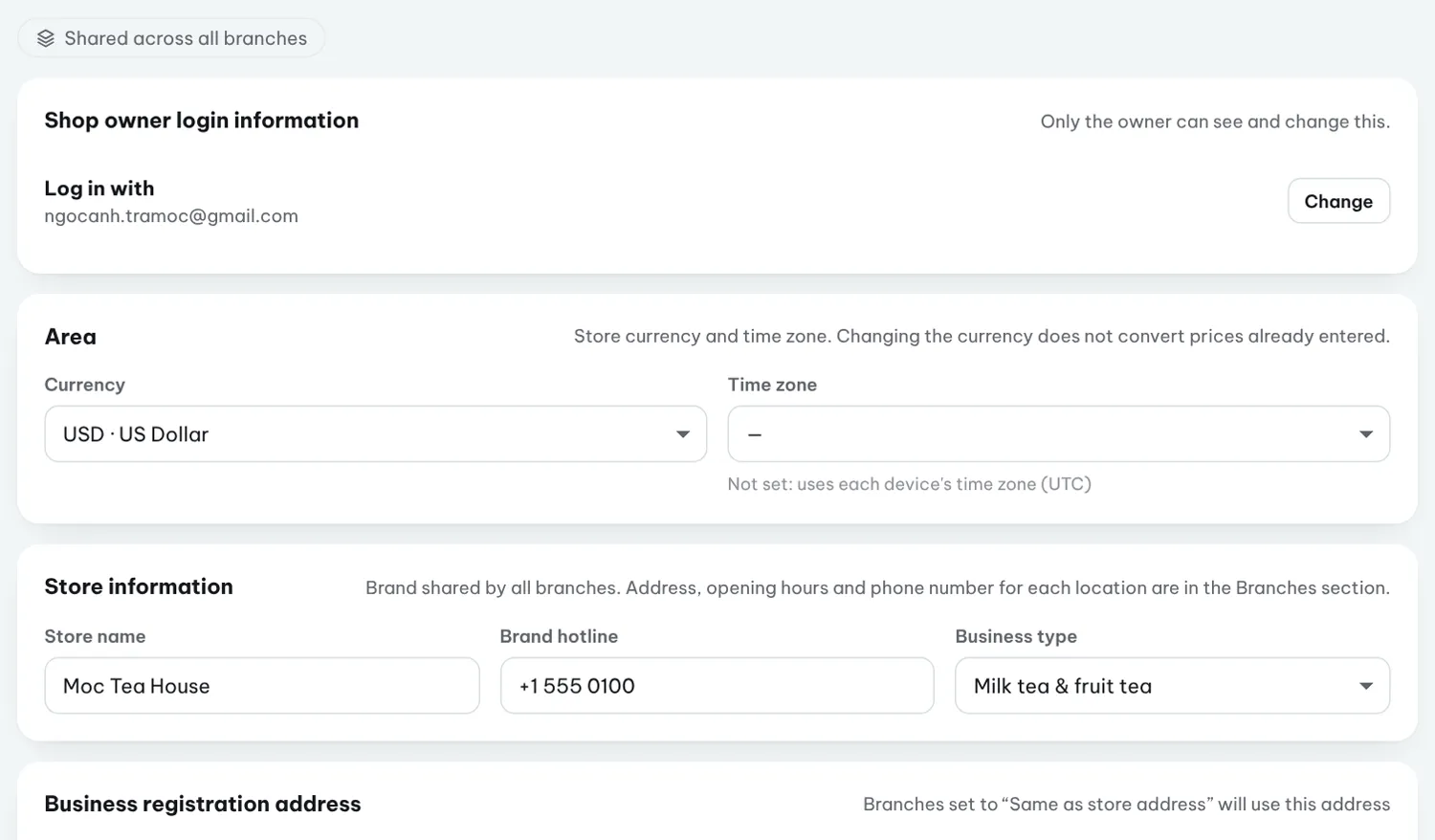
Go to Settings › Store. The information here is shared by all branches; the address, opening hours, and phone number of each location are set in Branches.
Sections
- Owner login information: the email or phone number the owner uses to sign in. Click Change to switch to a real email (recommended if you opened your store with an email generated by BTA). Only the owner can see this section.
- Store information: Store name, Brand hotline, Business type, Registered business address. A branch set to "Same as store address" uses this address.
- Create orders by voice: turn the voice ordering button on or off in the POS. See Voice ordering.
- Inventory operations (per branch):
- Deduct stock when: choose Sent to prep (recommended, so orders cancelled before preparation do not throw off your stock) or when payment is made.
- Allow selling when stock is negative: does not block sales during rush hours, it only shows a warning so you can run a stock count.
Still stuck? Message us on WhatsApp. WhatsApp