 BTA F&B
Semi-Finished Items and Batch Cooking
For: Owner, Kitchen / bar
Semi-finished items are things your shop cooks or prepares in advance from ingredients and then uses in many menu items: tea base, sugar syrup, cooked tapioca pearls, pudding, jelly, and so on.
Go to Semi-finished items. The table shows the type, Batch yield, Cost / unit, Stock, and how many recipes each item is used in.
Two types
- Batch cooked: has a recipe for one batch (ingredients in → how much finished product comes out), a shelf life (for example, use within 8 hours), and a minimum level. It has its own stock.
- Virtual bundle: groups several things that are used together (Cup set: cup + lid + straw + bag). It is not cooked, and it is expanded at the time of sale into its individual ingredients.
Click Add semi-finished item to create one, and enter the recipe the same way as for a menu item.
Cooking a batch
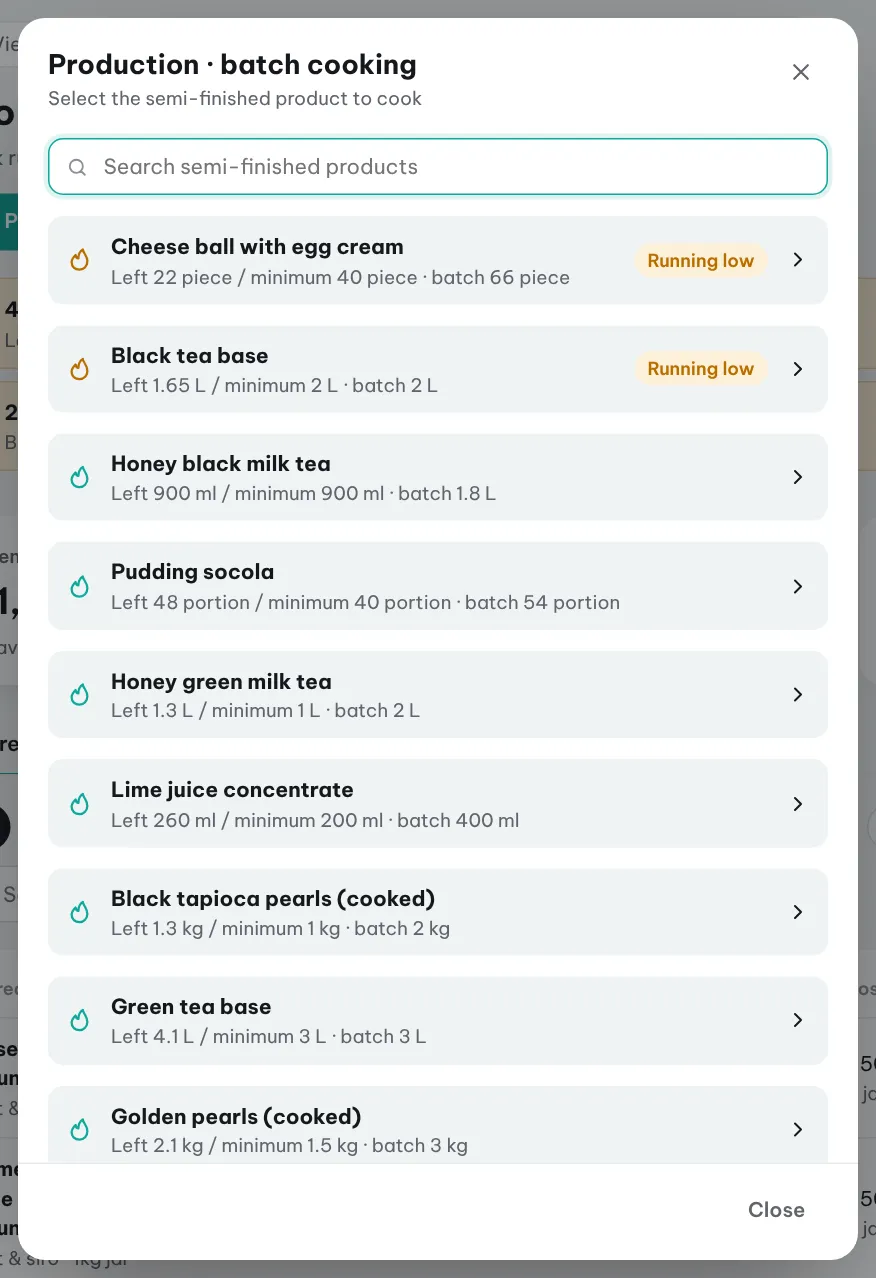
- In Inventory, click Production (or Cook batch on the semi-finished item's row, or on the drink-prep screen).
- Select the semi-finished item you want to cook. Items marked Low stock (below the minimum level) appear at the top of the list.
- Enter the number of batches / the quantity produced, then confirm. Inventory deducts the ingredients, adds the finished product, and records a Production slip with the batch cost and the person who cooked it.
Still stuck? Message us on WhatsApp. WhatsApp