 BTA F&B
Table Reservations on Your Website
For: Owner
Turn this on in Reservations › Settings: Accept reservations on website (shows a "Reserve a table" button at the top of the page and on the home page).
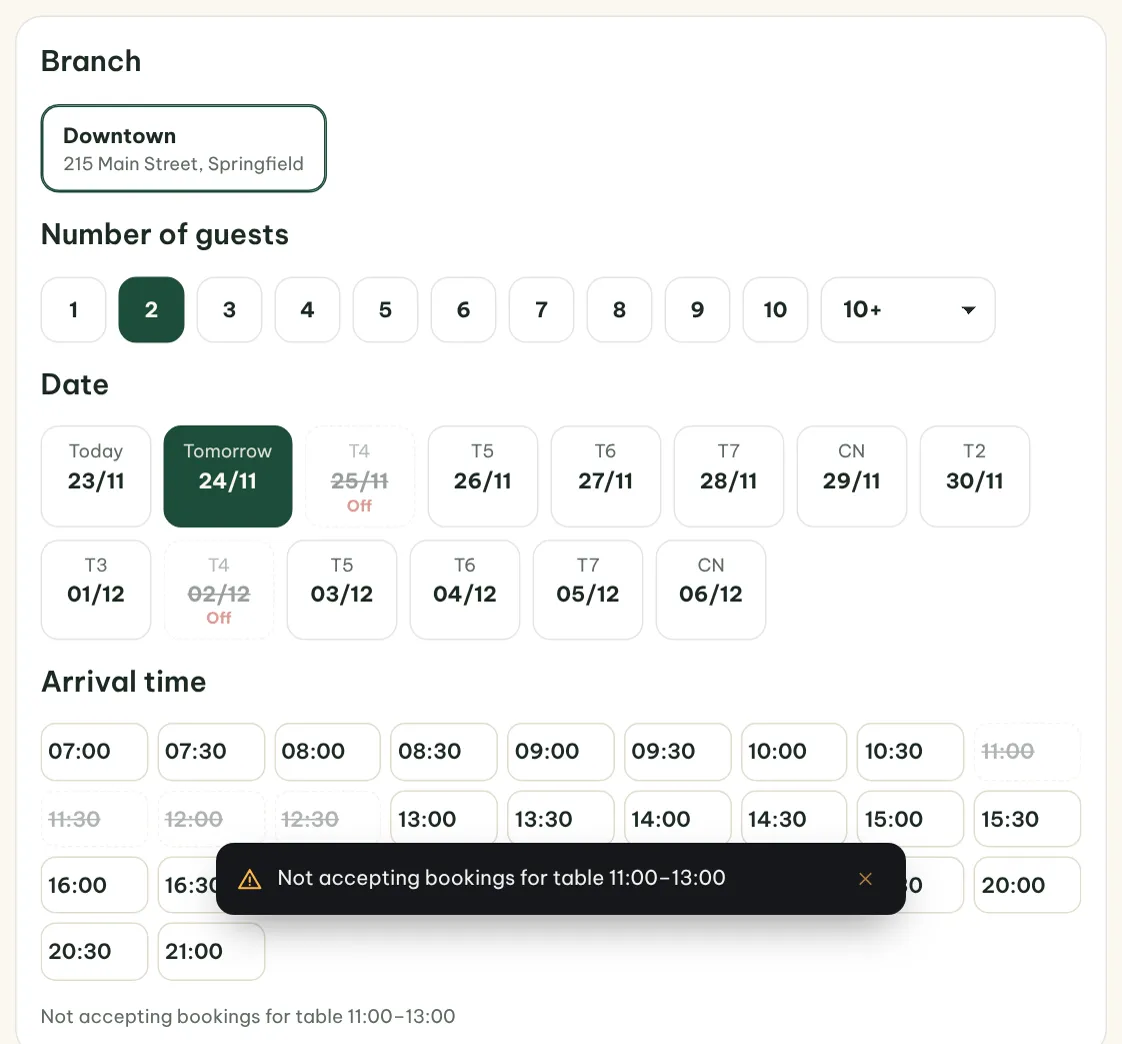
Guests choose a date, a time (slots 15 / 30 / 60 minutes apart within opening hours) and a party size, then enter their name, phone number, occasion and notes. If you turn on Let guests choose a table when booking, guests pick an area and an available table with enough seats.
- Auto-confirm when tables are available: if a table with enough seats is free, the system assigns it and confirms right away.
- Off: bookings go to Pending confirmation, and staff call the guest to confirm. See Reservations.
Limits: Minimum advance notice (minutes), Maximum advance booking (days), Maximum party size per online booking (one group of guests). Time slots that have passed are locked automatically. The calendar shows the full number of days set in Maximum advance booking. The Reservations page only shows the branch the guest has selected at the top of the website (change the branch in the Order at box at the top of the page). The server re-checks all of these limits, so guests can't get around them by sending requests directly to the server. Days off, unavailable time slots, special dates (one-time, monthly, yearly), paused reservations and the limit per slot are set in Reservation calendar: days off and blocked slots appear greyed out and struck through; when a guest clicks one, they are told the restaurant doesn't accept bookings on that date / time, along with the reason.
Still stuck? Message us on WhatsApp. WhatsApp