 BTA F&B
Prep stations (drink bar, kitchen)
For: Owner
Go to Settings › Prep stations (set per branch). Each station is one screen (choose the station in the top-left corner of the bar screen) and one ticket printer. When an order contains items from several stations, each station sees only its own part.
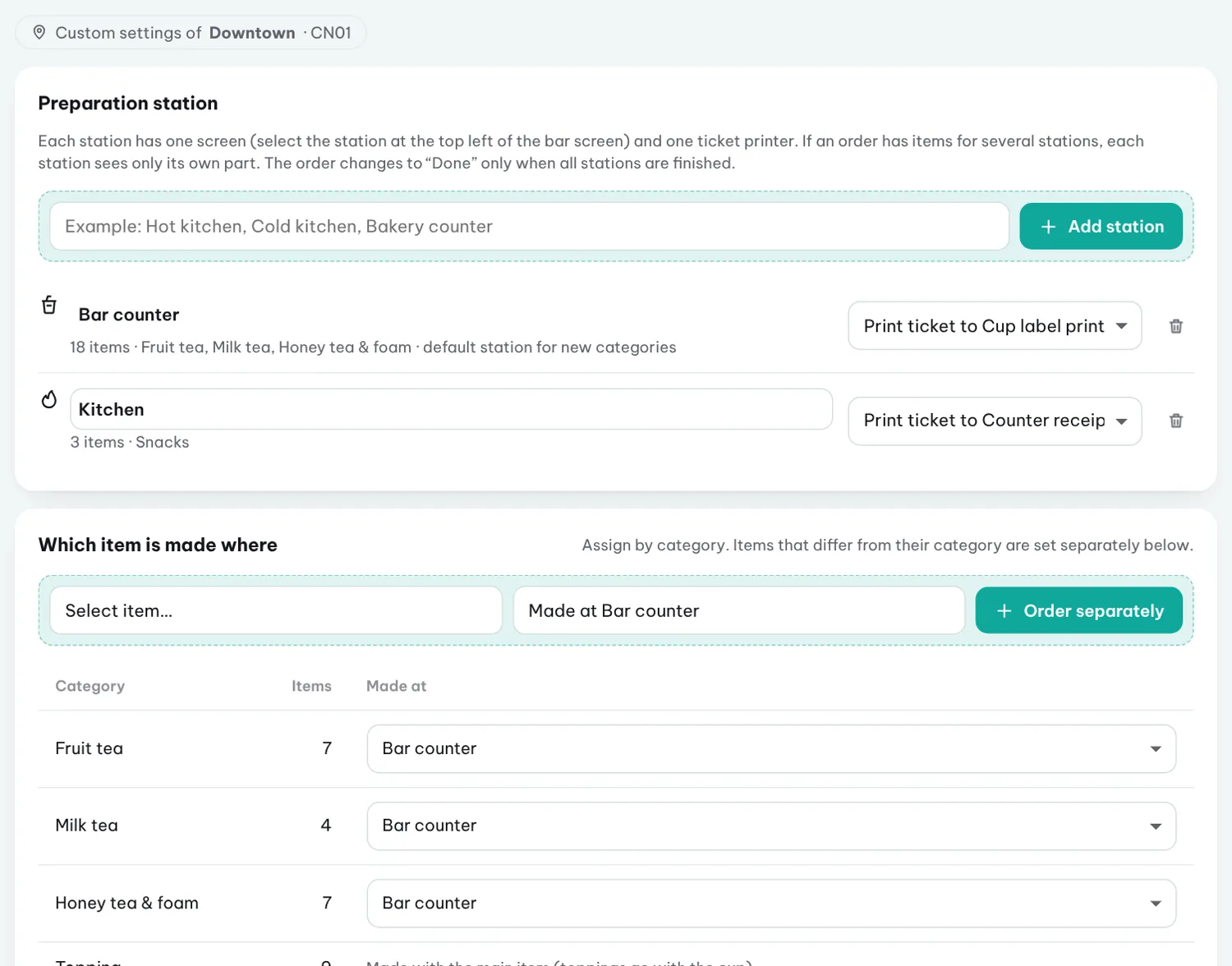
- Tap Add station, give it a name (for example Drink bar, Kitchen), and choose the station's ticket printer.
- Under What is made where, choose a station for each category. For a toppings category, choose Made with the main item; for grab-and-go items (bottled drinks), choose No station, and the cashier hands them over with the order.
- For items that differ from their category (for example "Roasted milk tea" made in the Kitchen): add them under Individual items.
An order moves to Done only when every station has finished; while it waits, the order shows Partly done.
Still stuck? Message us on WhatsApp. WhatsApp