 BTA F&B
Custom domain for your website
For: Owner
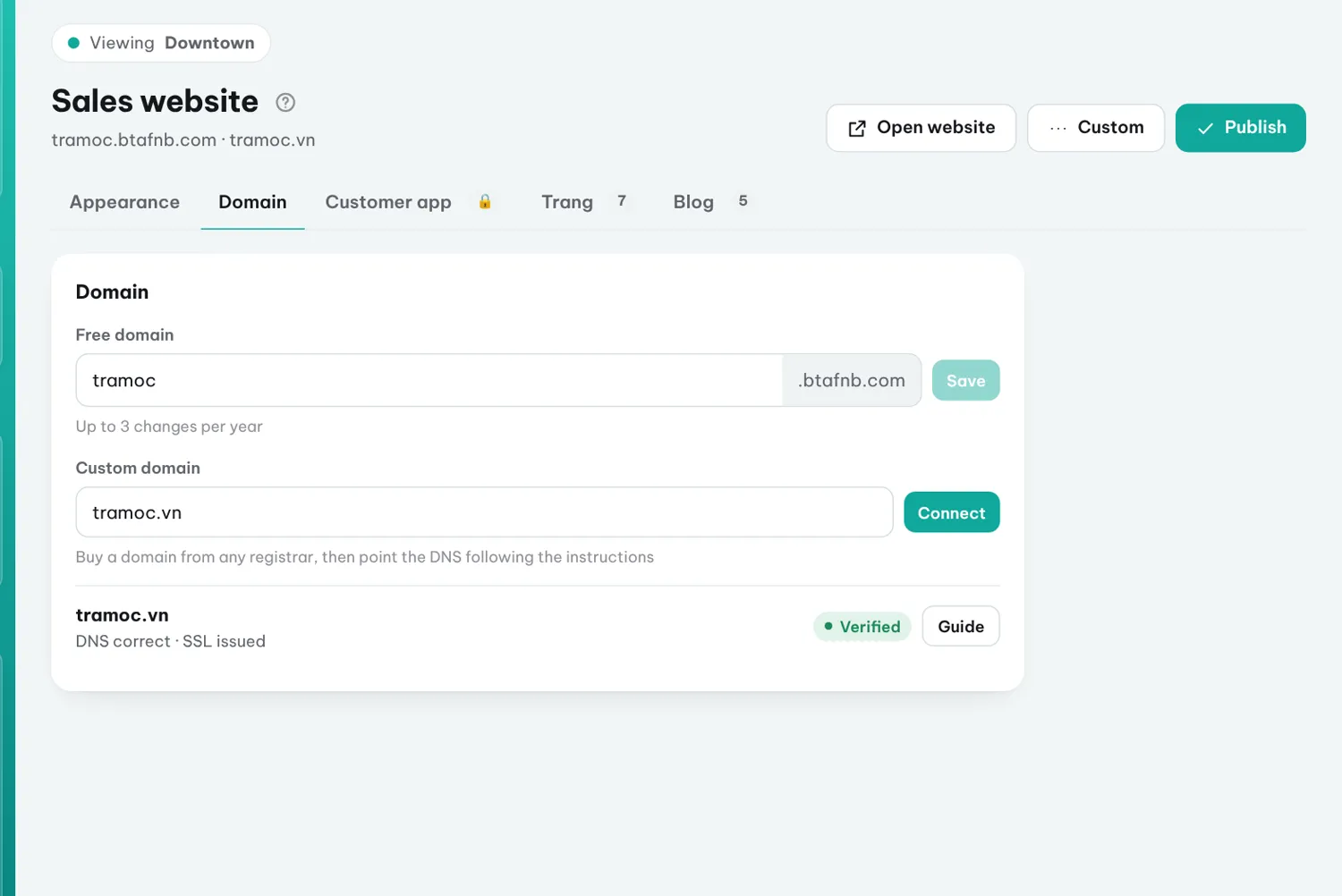
Go to Website, then the Domain tab.
Free domain
In the Free domain field, edit the part before .btafnb.com and click Save. You can change it up to 3 times per year.
Connect your own domain
- Buy a domain from any registrar (for example
tramoc.com). BTA does not sell domains and does not charge any domain fees. - In the Custom domain section, enter your domain and click Connect.
- Click Instructions: follow the DNS records shown, and go to your registrar's domain management page to point the domain.
- When the domain is pointed correctly, you will see DNS correct · SSL issued and Verified. Your website now runs on the new domain, with https issued automatically.
The temporary domain is only valid for 15 days
For restaurants registered on or after 19/11/2026: the .btafnb.com address is a temporary domain, usable for 15 days from the time of registration (whether you are on a trial or have purchased a plan). During these 15 days, the Overview and Website pages show a banner "Your website is using a temporary domain. You need to add your own domain to keep it running." with the deadline and the number of days left.
- Click Add domain to go to Website › Domain.
- Click ✕ to hide the banner for this session; it will show again the next time you sign in.
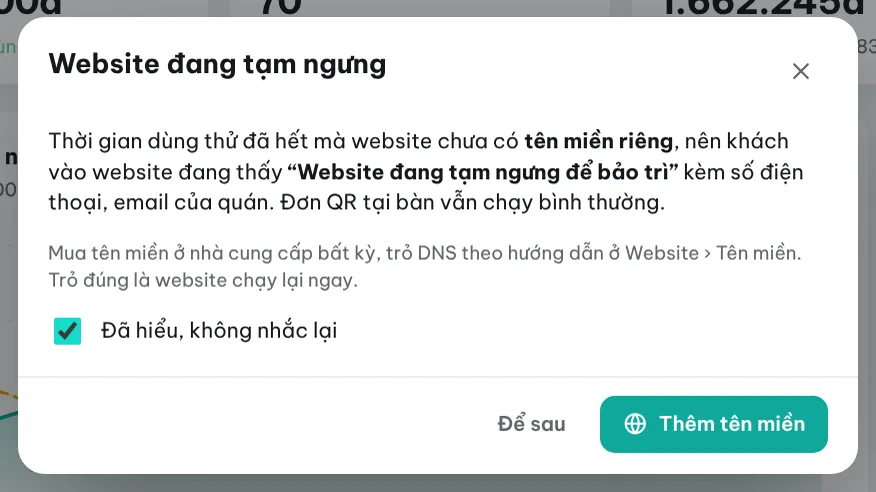
- Tick Got it, don't remind me again and then click ✕: your account will no longer see this banner (on any device).

If 15 days pass without a custom domain connected, the website is suspended (customers see "The website is temporarily down for maintenance"), while table QR orders keep working. Your restaurant's customer app also keeps working as long as your Customer app feature is still valid. Once you connect a custom domain and point it correctly, the website runs again immediately.
Restaurants registered before 19/11/2026
The previous rules still apply: after the trial period, your sales website needs a custom domain. The owner and shift managers are reminded when 3 days and 1 day are left. After the deadline, the website is suspended (customers see "The website is temporarily down for maintenance", while table QR orders keep working) and the management page shows a Website suspended notice every time it is opened. If you tick Got it, don't remind me again and then close it, that device / browser will no longer show this notice.
Still stuck? Message us on WhatsApp. WhatsApp