 BTA F&B
Orders page
For: Owner, Cashier
Go to Orders in the left menu. Orders from the counter, table QR codes and the website all come together in one place.
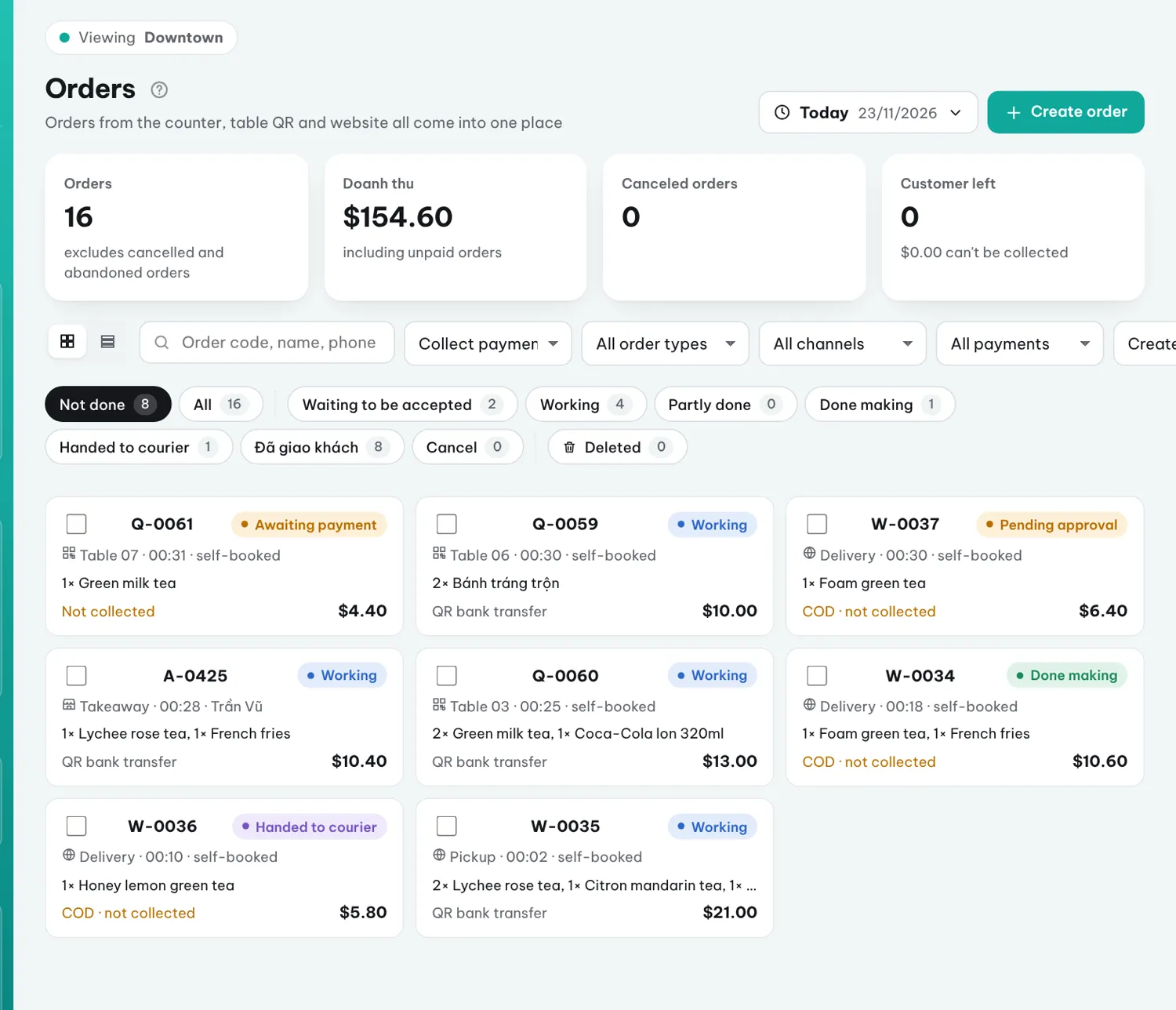
- Pick a date or a date range at the top of the page. The metrics are: Orders, Revenue (including orders not yet paid), Cancelled orders, Walk-outs.
- Filters: Payment collection (unpaid, paid, paid but not yet deposited in the cash drawer), order type, channel (Counter orders, QR orders, Waiter orders, Online orders), payment method, creator.
- Status chips: Open, All, Pending acceptance, In progress, Partially done, Ready, Handed to courier, Delivered to customer, Cancelled, Deleted.
Click an order to see its details: items, prices, creator, payment, the Order log (who did what, and when), cost of goods and gross profit. From here you can reprint the receipt and labels, collect payment, and cancel the order or cancel items.
| Status | Meaning |
|---|---|
| Pending acceptance / Pending approval | A customer-placed order that staff haven't accepted yet |
| Awaiting payment | A prepaid order waiting for the customer to pay |
| In progress | Sent to the bar / kitchen |
| Partially done | A multi-station order where some stations are finished |
| Ready | The bar has finished, waiting to be served |
| Delivered to customer / Handed to courier | Completed / out for delivery |
Still stuck? Message us on WhatsApp. WhatsApp