 BTA F&B
Customer list
For: Owner, Cashier
Go to Customers and open the Customer list tab. A customer is created when you attach a phone number to an order, when a customer signs up as a member on your website, or when you click Add customer.
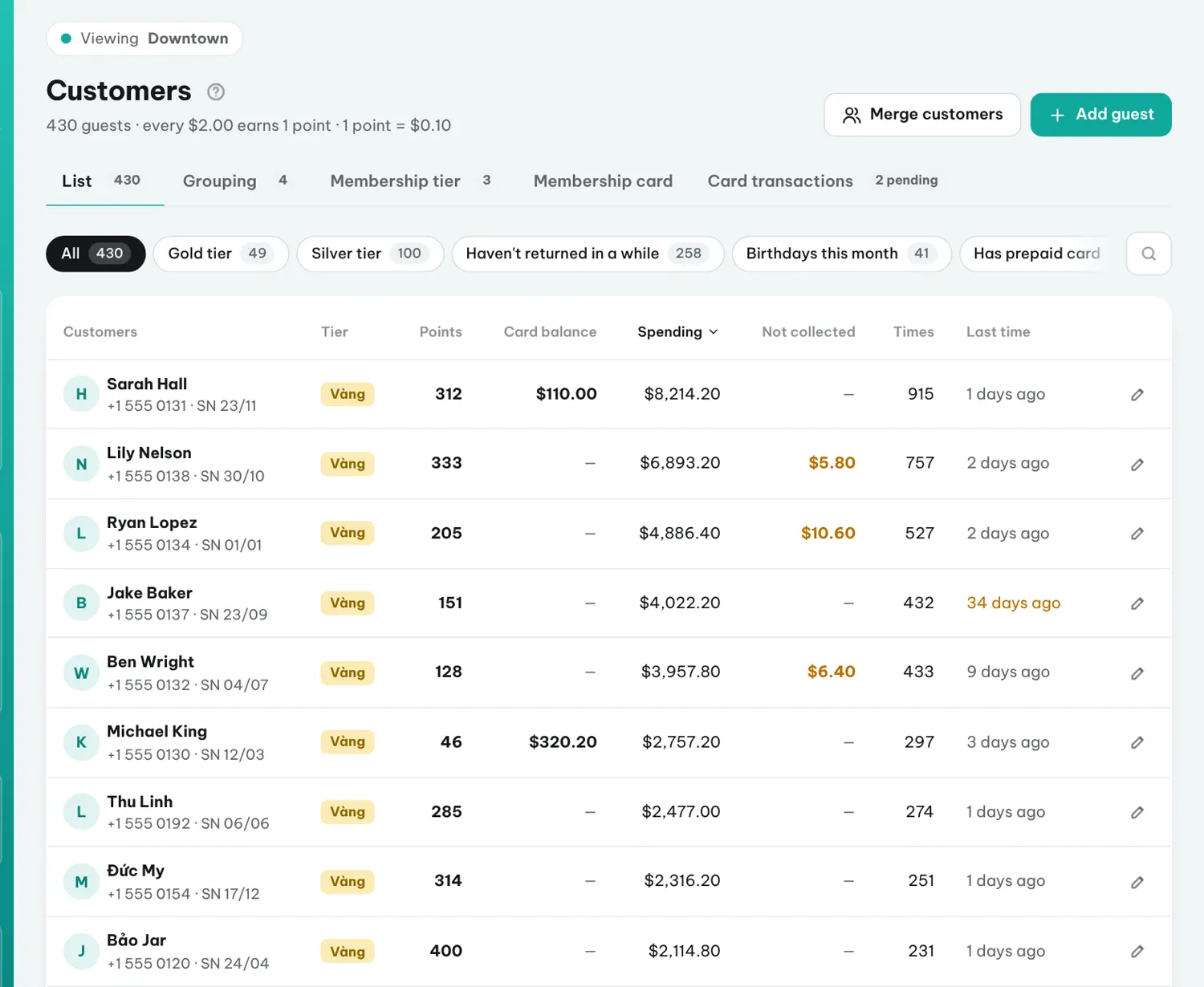
- Quick filters: membership tier, Not seen in a while, Birthday this month, Has prepaid card, No phone number, Duplicate name.
- Columns: tier, points, card balance, total spending, unpaid (outstanding balance), number of purchases, last visit.
Customer details
Click a customer to see: the group they belong to, their tier and points multiplier, current points (converted to a cash value when redeemed), prepaid card, total spending, delivery addresses, Recent orders, Points history and Card history.
- Edit details: name, phone number, date of birth, gender, tags, internal notes.
- Adjust points: add or subtract points with a reason.
- Add address for delivery.
Merge duplicate customers
If one person has 2 profiles (changed number, typo), click Merge customers, then choose the Profile to keep and the Profile to merge in (this one is deleted after the merge). Orders, points and spending are combined into the profile you keep.
Still stuck? Message us on WhatsApp. WhatsApp