 BTA F&B
Overview and Profit & Loss Report
For: Owner
Go to Reports. Choose a date range at the top of the page (all figures are compared with the immediately preceding period of the same length). Gross profit is calculated using the recipe cost at the time of sale.
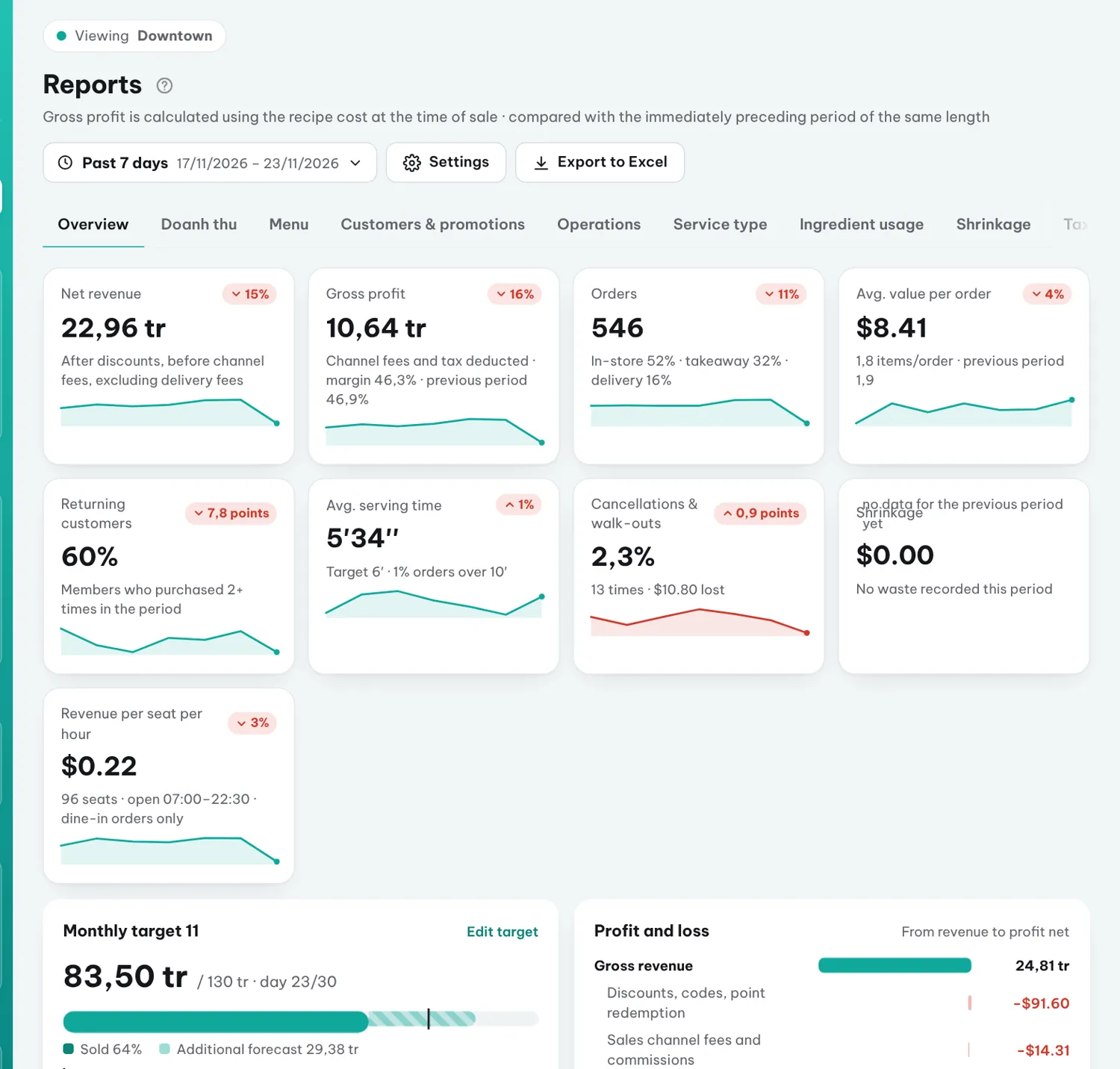
Overview cards
- Net revenue (after discounts, excluding delivery fees), Gross profit (after deducting sales channel fees and payment fees; matches the Gross profit line in the Profit & Loss table) and margin, Orders by order type, Average order value.
- Returning customers, Average time to serve, Cancellations & walkouts, Waste, Revenue per seat per hour.
- Monthly target: click Edit target to set your monthly revenue goal. The report shows how much you have achieved, the end-of-month forecast, and how much you need per remaining day.
- Busy hours by weekday: a heat map of orders per hour to help you plan shifts.
Profit & Loss
The Profit & Loss table starts from Gross revenue → subtracts discounts, sales channel fees, delivery fees, taxes → dish cost → Gross profit → subtracts stocktake waste, lost revenue from walkouts, in-shift expenses, cash book expenses → Profit before fixed costs → subtracts fixed costs spread per day → Net profit.
The last line shows your break-even point: the revenue you need to reach each day.
Report settings
Click Settings: enter your monthly fixed costs (rent, salaries, utilities, etc.) and the fee / commission for each sales channel so the profit and loss figures reflect your restaurant accurately.
Still stuck? Message us on WhatsApp. WhatsApp